Gutenberg: Blocks
Back to the main page
What are blocks?
Gutenberg blocks are the editor blocks that are used to create content layouts in the new WordPress block editor aka Gutenberg. By default, WordPress offers a set of basic content blocks like a paragraph, image, button, list, and more.
Resources:
How to add a block
- Open a page in Edit mode
- Click a plus sign. Clicking on the button will show the add block menu with a search bar on top and commonly used blocks below.
You can click "Browse all" or type in the keyword to quickly search for a block.
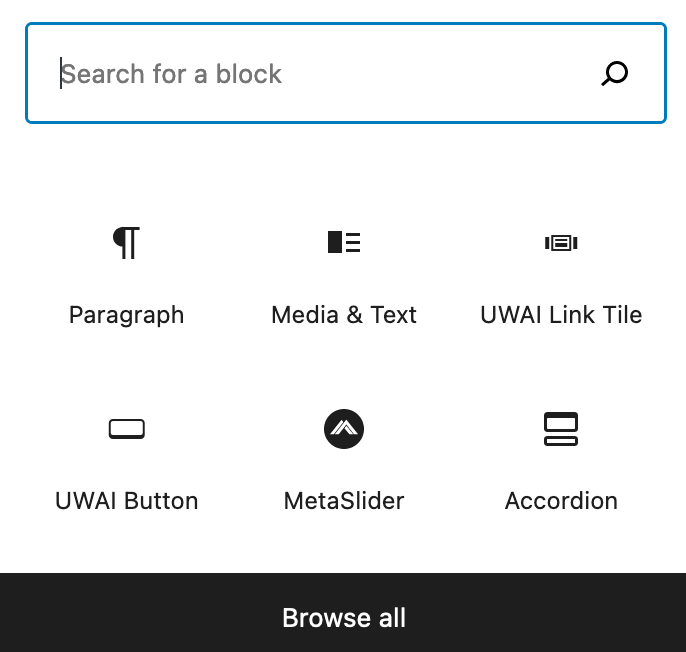
- Click the block you want to insert.
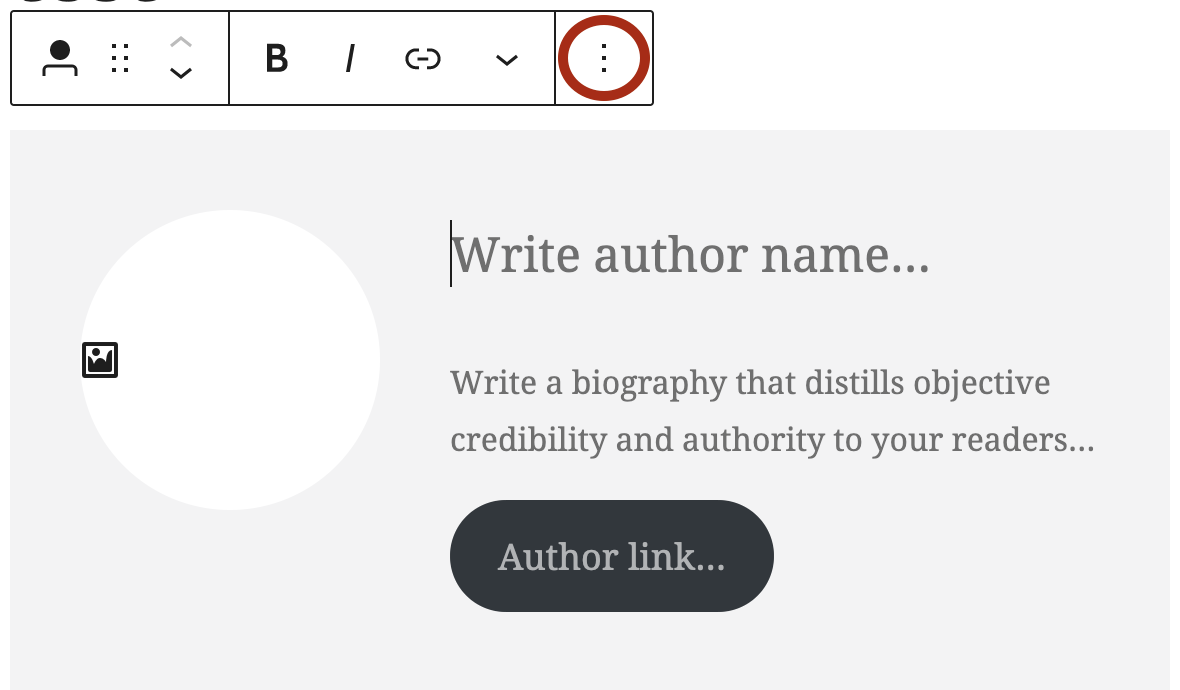
Each block comes with its own toolbar, which shows at the top of the block.
- Click the three dots icon for more options. "Show More Settings" appears in the right column of your edit screen. The settings available for each block will vary with each block.
How to delete a block
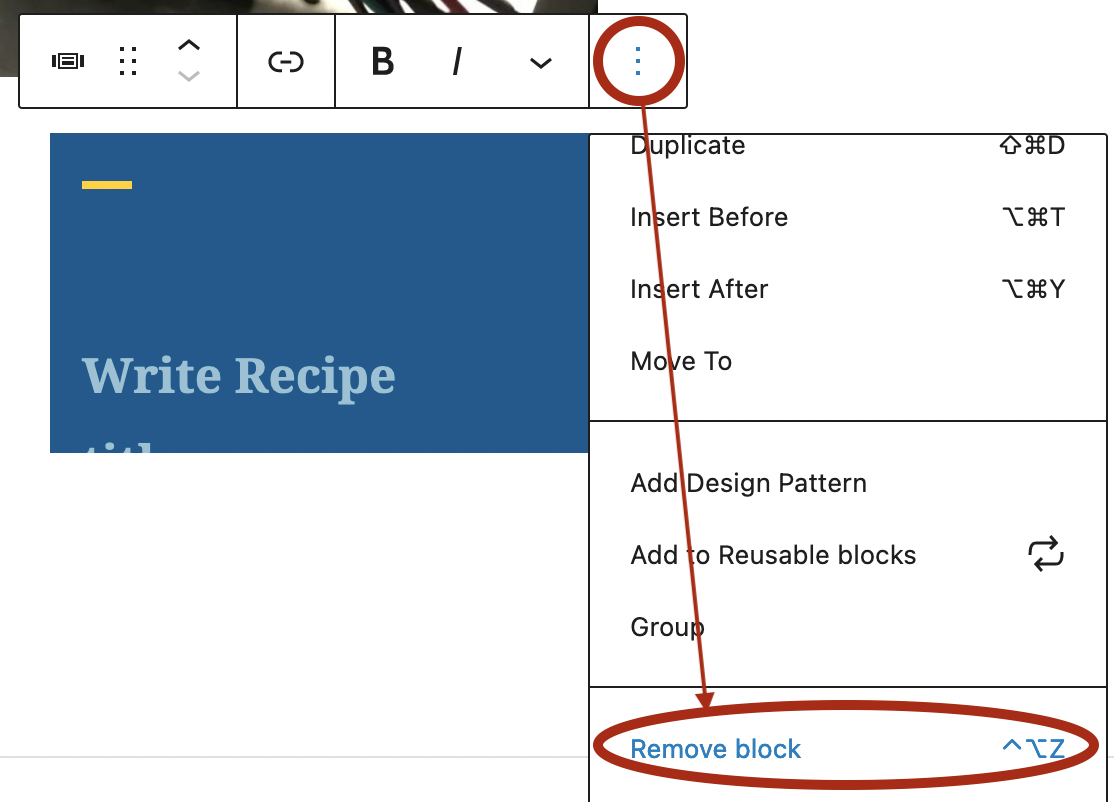
- Select the block you want to remove
- Click the three dots icon
- Select "Remove block"
Updated