Spelling
>> Back to Quality Assurance
- Log into Siteimprove (Reference: Basic Usage)
- Expand Quality Assurance
- Expand Links
- Find Misspellings: Don't be fooled by "No misspellings here, champion." Check the words to review first.
- Pages with Misspellings or Words to Review: Determine if they're misspellings or valid.
- Click "Pages with Misspellings or Words to Review"
- Check "Spelling suggestion" and determine you need to fix or dismiss it
- Fix: You need to log into WordPress and update the page. After fixing it, go back to Siteimprove and click the Recheck button. Or wait for the next scan (which may happen in the next 5 days).
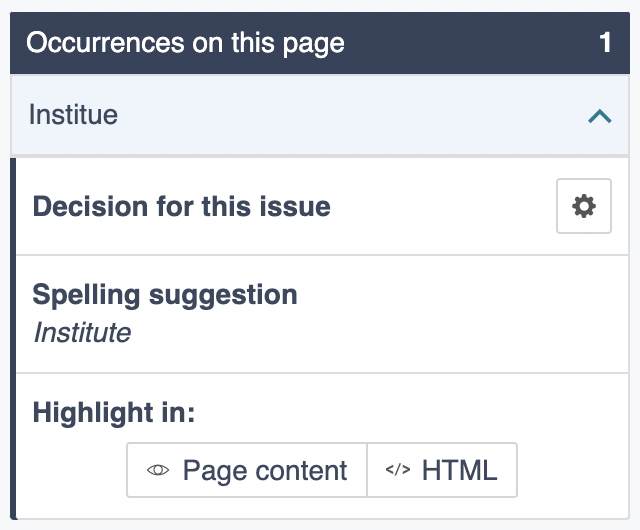
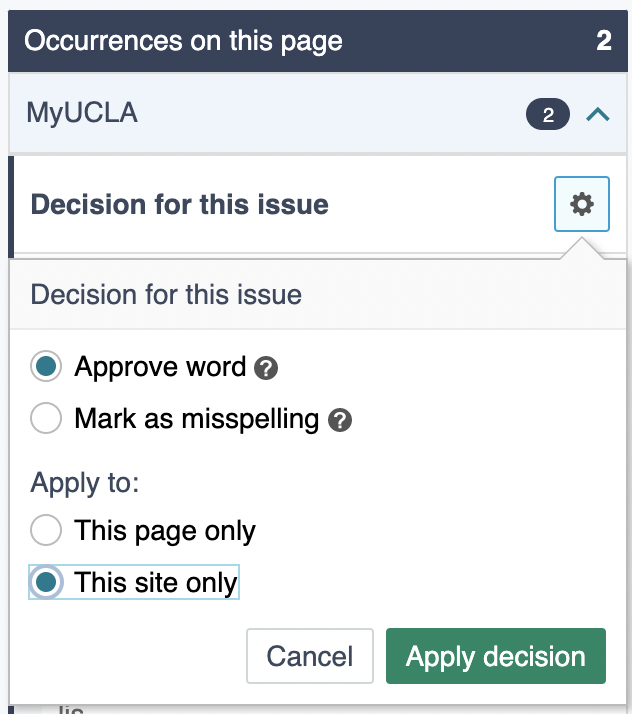
- Dismiss: Names (ex. MyUCLA, SpaceX, Samueli, and etc.) need to be approved.
Click the gear icon, select "This site only," and click "Apply decision"
Updated